Create prototypes in the simplest and quickest way
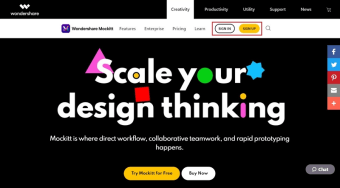
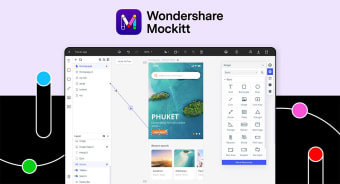
Mockitt or also known as Wondershare Mockitt is a project management tool developed by Wondershare. It allows you to efficiently design your prototype that will best present your ideas using its libraries full of built-in UI assets and templates. These prototypes are interactive and animated which will surely enhance your clients' experience. The rapid prototyping feature that it provides allows you to make the whole process be done in three easy and simple steps.
Collaborate and work together
Wondershare's Mockitt gives you the power to work together with your team on the same page. With this capability, you will be able to see what changes your teammates did in your project in real-time. It offers an intuitive comment system that is optimized for designs and prototypes which allows the whole team to keep all the communication concerning your projects organized.
On top of that, it provides browser-based inspection and export tools that revamps the collaborative efforts of your design and development teams. When sharing a document or project, you can simply send a URL to your various stakeholders and clients. On its visibility settings, you can customize who can view or access the prototype you made. As mentioned, creating a prototype here can straightforwardly be done in three steps.
First, you have to sign in to Mockitt and find a workspace window. After that, you will click ‘Create’ then, ‘Project’ and choose a device template wherein you will start an empty canvas. For the second step, you will proceed with selecting elements from the Toolbar and the Libraries palette and place them onto the canvas which can be moved through the drag-and-drop function. Its last step allows you to preview your prototypes on any device.
Present your ideas better
Mockitt is a valuable business and productivity program to have as it enables you to easily create the prototype that will best illustrate your project's idea. The whole process is simplified into three easy-to-follow steps as well. If you are working with a team, you can effectively collaborate together and work on the same page. It is indeed a handy project management tool to have.